
The 2026 Blogging Playbook: AI Content with Muapi
Every "blogging is dead" prediction has aged badly, and 2026 is no exception. What has changed is the bar. Readers and search engines now expect depth, originality, and visuals that don't look like they came from the same three stock-photo sites everyone else uses. The teams winning organic traffic this year aren't the ones writing the most AI text — they're the ones who treat AI as production infrastructure for the whole post, visuals included.
Most 2026 blogging guides stop at "use a model to draft your copy faster." That's table stakes now. The real, hard-to-copy edge is automating original artwork programmatically through an image API, so every post ships with unique, on-brand visuals no competitor can lift. This playbook shows you exactly how to wire that up with the Muapi image API — auth, request modes, async polling, error handling, cost planning, and the editorial workflows that make it sustainable at volume.
Why Blogging Still Wins in 2026
The year-end 2025 roundup: what actually drove traffic
If you read the year-end 2025 analytics across content-driven sites, one pattern dominates: thin, general-purpose posts collapsed while deep, specialized, visually rich posts held or grew. The "1,200-word SEO filler" era is over. The posts that drove durable traffic into 2026 were the ones that answered a specific question completely, with original data, original code, and original images — content a reader couldn't get from an AI summary alone.
This isn't a vibe; it's a response to supply. AI made mediocre text infinitely cheap, so mediocre text lost all value. Scarcity moved to depth and originality. The takeaway for 2026 is blunt: raise the floor on every post, or don't publish it.
Niche and hyper-focused blogs beat general blogs
The single clearest 2026 trend is that niche, hyper-focused blogs are outperforming general blogs. A site that goes narrow and deep — covering one domain with genuine authority — earns trust signals, repeat readers, and topical relevance that a sprawling general blog can't match. Search engines reward demonstrated expertise on a tight topic cluster far more than breadth.
Practically, this means picking a lane and owning it. Ten exhaustive posts on a single subject beat a hundred shallow posts across fifty subjects. Your visual identity reinforces this: when every post in a cluster shares a consistent, generated art style, the niche feels authoritative before a word is read.
Where AI fits — assistant, not author
The framing that keeps teams out of trouble: AI is an assistant, not the author. It accelerates research, drafts, outlines, and — critically — produces media. It does not replace the editorial judgment, point of view, and lived expertise that make a post worth reading. The marketing fundamentals haven't moved: audience, intent, and distribution still outweigh raw AI tooling. A brilliant post nobody distributes to the right audience is a tree falling in an empty forest.
Use AI to remove the grunt work — including the perennial bottleneck of "we need a header image and we don't have a designer" — and reinvest the saved time into the parts that compound: original analysis, real examples, and a distribution motion. If you're thinking in terms of full pipelines rather than one-off generations, our guide on building generative AI workflows pairs well with this playbook.
The Anatomy of a High-Performing 2026 Blog Post
Long-form, high-quality content as a moat
Length alone is not a ranking factor, but in 2026 it remains a strong proxy: long-form content of 2,000+ words correlates with stronger organic performance because completeness — covering a topic end to end — is what readers and answer engines reward. The moat isn't the word count; it's that thorough posts naturally accumulate more entities, more covered sub-questions, more internal links, and more dwell time. Aim to answer the question and the three follow-up questions a smart reader will have next.
Original visuals as a ranking and trust signal
Here's where most blogs leak value: stock photography. Generic stock signals "low effort" to readers and adds nothing distinctive to your brand. Original visuals improve dwell time and reduce reliance on generic stock photography — they keep readers on the page longer, make complex ideas scannable, and build a recognizable visual identity across your niche. Programmatically generated, on-brand artwork turns the most expensive part of editorial production into an API call.
Structuring for SEO and generative AI search (AEO)
Classic SERPs are no longer the only battlefield. Generative AI search — answer engines and AEO (Answer Engine Optimization) — now competes with classic SERPs for visibility. When an answer engine synthesizes a response, it pulls from clearly structured, authoritative sources. That means your job is to be quotable: clear headings, direct answers up front, structured data, FAQs, and tables that an engine can lift cleanly.
| Component | 2026 Best Practice | Impact |
|---|---|---|
| Depth | 2,000+ words, fully covers topic + follow-ups | Topical authority, longer dwell time, AEO citations |
| Original visuals | Unique generated header + inline images, no stock | Higher dwell time, brand recall, trust signal |
| Structured data | Schema markup, FAQ blocks, clean H2/H3 hierarchy | SERP features, answer-engine eligibility |
| Direct answers | Lead each section with the answer, then expand | Featured snippets, AEO extraction |
| Internal linking | Tight topic-cluster cross-links | Crawl efficiency, topical relevance |
| Generative-search readiness | Quotable tables, definitions, summaries | Visibility in AI answer engines |
Adding Programmatic Visuals via the Muapi API
Getting an API key and base URL
Everything routes through a single base URL: https://api.muapi.ai. Grab an API key from your Muapi dashboard, store it as an environment variable (never hard-code it), and you're ready to submit jobs. You can prototype prompts visually first in the blog-post playground before committing them to code.
export MUAPI_API_KEY="your_api_key_here"
export MUAPI_BASE_URL="https://api.muapi.ai"
Authentication headers and request structure
Muapi accepts your key as a Bearer token or via an x-api-key header — use whichever fits your stack. Requests are JSON POSTs to the generation endpoint; image jobs are asynchronous, so a submission returns a job_id rather than the image itself.
# Auth header — either form works:
#   Authorization: Bearer $MUAPI_API_KEY
#   x-api-key: $MUAPI_API_KEY
Choosing a model: nano-banana-2 for blog headers
For the bread-and-butter job of blog art, nano-banana-2 is the recommended model for text-free, photorealistic 16:9 blog headers. It's fast, low-cost, and produces clean editorial imagery without the garbled-text artifacts that plague header generation. We use it as the default throughout this guide; if you've seen our Nano Banana 2 multi-image composition techniques, the same model underpins this workflow at a simpler, single-image scale.
Generating Blog Images: Request Examples
Text-to-image for header artwork
This is the workhorse: a prompt in, a 16:9 header out. Always request hero/header images at 16:9 — it's the aspect ratio your CMS, social cards, and Open Graph previews all expect.
# === cURL: submit a text-to-image header job ===
curl -X POST "https://api.muapi.ai/v1/images/generate" \
  -H "Authorization: Bearer $MUAPI_API_KEY" \
  -H "Content-Type: application/json" \
  -d '{
    "model": "nano-banana-2",
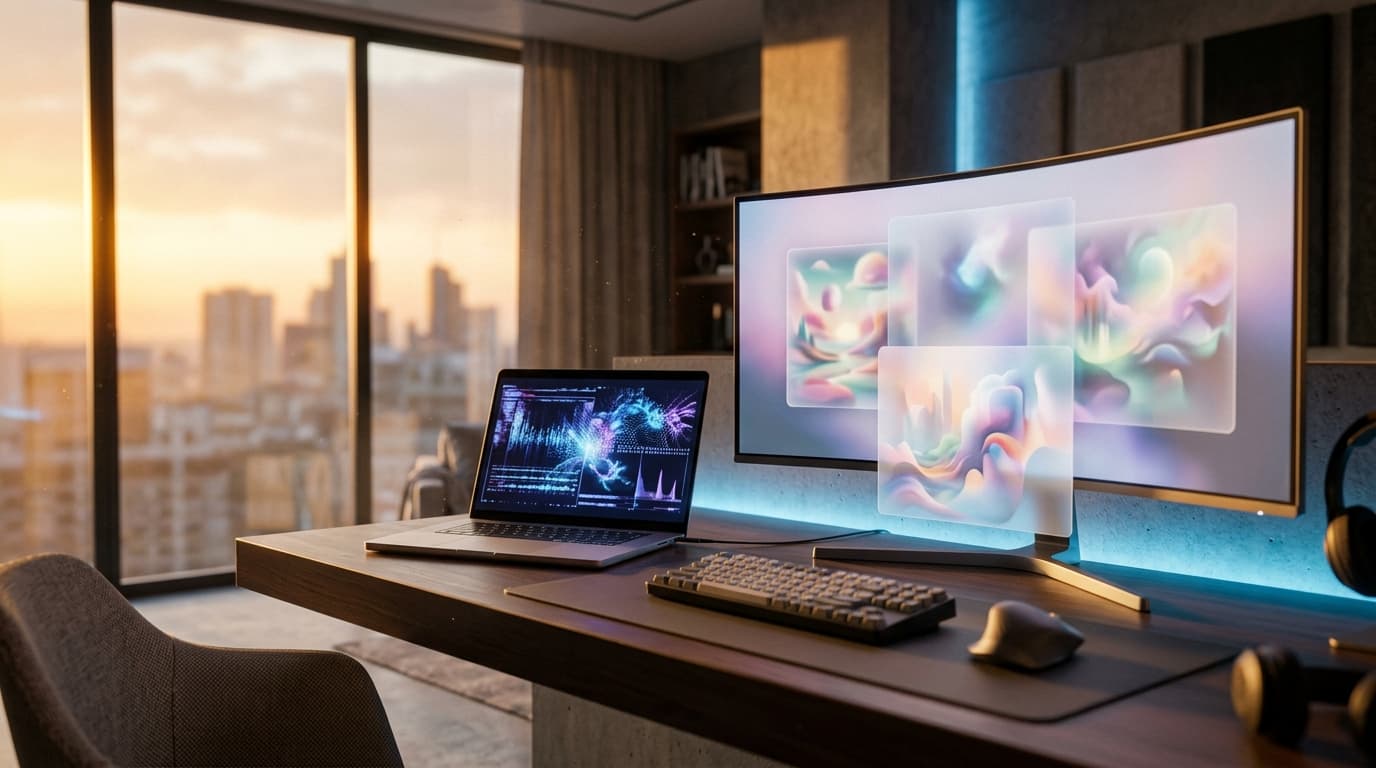
    "prompt": "A photorealistic cinematic wide landscape of a modern minimalist content-creator workspace at golden hour, abstract flowing data streams glowing above a sleek desk, warm rim light blending with cool blue accents, shallow depth of field, premium editorial tech aesthetic, ultra-detailed, no text, no letters, no logos, no watermarks",
    "aspect_ratio": "16:9",
    "quality": "standard"
  }'
# === Python: submit a text-to-image header job ===
import os, requests

BASE = "https://api.muapi.ai"
HEADERS = {"Authorization": f"Bearer {os.environ['MUAPI_API_KEY']}",
           "Content-Type": "application/json"}

payload = {
    "model": "nano-banana-2",
    "prompt": (
        "A photorealistic cinematic wide landscape of a modern minimalist "
        "content-creator workspace at golden hour, abstract flowing data streams "
        "glowing above a sleek desk, warm rim light with cool blue accents, "
        "shallow depth of field, premium editorial tech aesthetic, ultra-detailed, "
        "no text, no letters, no logos, no watermarks"
    ),
    "aspect_ratio": "16:9",
    "quality": "standard",
}

resp = requests.post(f"{BASE}/v1/images/generate", json=payload, headers=HEADERS)
resp.raise_for_status()
job_id = resp.json()["job_id"]
print("Submitted:", job_id)
Image-to-image for restyling brand assets
Already have a brand asset — a product shot, a logo lockup, a screenshot? Image-to-image restyles it into an on-brand inline illustration that matches your post's visual language instead of clashing with it.
# === cURL: image-to-image brand restyle ===
curl -X POST "https://api.muapi.ai/v1/images/generate" \
  -H "Authorization: Bearer $MUAPI_API_KEY" \
  -H "Content-Type: application/json" \
  -d '{
    "model": "nano-banana-2",
    "prompt": "Restyle into a soft editorial illustration, warm muted palette, subtle grain, consistent with a premium tech blog, no text, no watermarks",
    "image_url": "https://yourcdn.com/brand/product-shot.png",
    "aspect_ratio": "16:9",
    "strength": 0.6
  }'
# === Python: image-to-image brand restyle ===
payload = {
    "model": "nano-banana-2",
    "prompt": ("Restyle into a soft editorial illustration, warm muted palette, "
               "subtle grain, consistent with a premium tech blog, no text, no watermarks"),
    "image_url": "https://yourcdn.com/brand/product-shot.png",
    "aspect_ratio": "16:9",
    "strength": 0.6,
}
resp = requests.post(f"{BASE}/v1/images/generate", json=payload, headers=HEADERS)
resp.raise_for_status()
job_id = resp.json()["job_id"]
Prompting patterns for on-brand, text-free images
A few patterns make the difference between usable and throwaway headers:
- Lock the aspect ratio. Always
16:9for heroes; inline can flex to1:1or4:3. - Negate text explicitly. End every prompt with
no text, no letters, no words, no logos, no watermarks. Generative models love sneaking in fake signage. - Encode your brand once, reuse everywhere. Keep a reusable style suffix (palette, lighting, mood, grain) and append it to every prompt so the whole cluster looks like one studio shot it.
- Describe scene, not subject-with-caption. Photorealistic environment prompts produce far cleaner results than anything implying a poster or UI mockup.
Async Jobs, Polling, and Error Handling
The submit-then-poll lifecycle
Image generation is asynchronous. The flow is: submit a job, receive a job_id, then poll a status endpoint until the job reaches a terminal state. A single 16:9 standard header typically completes in well under a minute — budget roughly 10–30 seconds for nano-banana-2 at standard quality, longer for higher tiers or heavier alternatives.
Reading status codes and result URLs
Jobs move through a small set of status values. Poll until you hit a terminal one, then read the result URL.
| Status | Meaning | Recommended Action |
|---|---|---|
queued | Accepted, waiting for a worker | Keep polling |
processing | Generation in progress | Keep polling |
completed | Image ready | Read result_url, stop polling |
failed | Generation errored | Inspect error, retry or surface to editor |
# === Python: async polling loop ===
import time, requests

def poll_until_done(job_id, interval=2, max_attempts=60):
    """Poll every `interval` seconds, cap at `max_attempts`."""
    url = f"{BASE}/v1/images/status/{job_id}"
    for attempt in range(max_attempts):
        r = requests.get(url, headers=HEADERS)
        r.raise_for_status()
        data = r.json()
        status = data["status"]
        if status == "completed":
            return data["result_url"]
        if status == "failed":
            raise RuntimeError(f"Job {job_id} failed: {data.get('error')}")
        time.sleep(interval)
    raise TimeoutError(f"Job {job_id} not done after {max_attempts} attempts")

result_url = poll_until_done(job_id)
print("Image ready:", result_url)
# === cURL: poll job status ===
curl -s "https://api.muapi.ai/v1/images/status/$JOB_ID" \
  -H "Authorization: Bearer $MUAPI_API_KEY"
# -> {"status":"completed","result_url":"https://cdn.muapi.ai/...png"}
Retries, backoff, and rate limits
Production pipelines must survive transient failures and rate limits. Use exponential backoff on top of a fixed polling interval (e.g. 2s) with a max-attempts cap. Handle the real HTTP codes you'll actually see:
| HTTP code | Cause | Mitigation |
|---|---|---|
400 | Malformed request / bad params | Fix payload; don't retry blindly |
422 | Validation error (e.g. unsupported aspect ratio) | Correct the field, resubmit |
429 | Rate limit exceeded | Back off exponentially, respect Retry-After |
402 | Out of credits / payment required | Top up at the plans page |
5xx | Transient server error | Retry with backoff, then alert |
# === Python: submit + poll wrapped in retry with exponential backoff ===
import time, requests

def submit_with_retry(payload, max_retries=5):
    delay = 1.0
    for attempt in range(max_retries):
        r = requests.post(f"{BASE}/v1/images/generate", json=payload, headers=HEADERS)
        if r.status_code == 429:                      # rate limited
            wait = float(r.headers.get("Retry-After", delay))
            time.sleep(wait); delay *= 2; continue
        if r.status_code >= 500:                       # transient server error
            time.sleep(delay); delay *= 2; continue
        if r.status_code == 402:
            raise RuntimeError("Out of credits — top up at muapi.ai/topup#plans")
        r.raise_for_status()                           # 400/422 -> raise, fix payload
        return r.json()["job_id"]
    raise RuntimeError("Exhausted retries submitting job")

job_id = submit_with_retry(payload)
result_url = poll_until_done(job_id)   # reuse the polling loop above
# === cURL: one retry attempt with backoff handling 429/5xx ===
for i in 1 2 3 4 5; do
  code=$(curl -s -o resp.json -w "%{http_code}" -X POST \
    "https://api.muapi.ai/v1/images/generate" \
    -H "Authorization: Bearer $MUAPI_API_KEY" \
    -H "Content-Type: application/json" -d @payload.json)
  if [ "$code" = "200" ]; then break; fi
  if [ "$code" = "429" ] || [ "$code" -ge 500 ]; then sleep $((2 ** i)); continue; fi
  echo "Non-retryable error $code"; cat resp.json; break
done
Pricing and Cost Planning for a Content Pipeline
Per-image cost by resolution and quality
Cost scales with resolution and quality tier. nano-banana-2 is deliberately the low-cost default so you can illustrate generously without blowing a budget. Confirm live numbers and credit bundles on the Muapi plans page.
| Resolution | Quality Tier | Approx. Cost / Image | Best For |
|---|---|---|---|
| 1280×720 (16:9) | Standard | ~$0.01–0.02 | Header drafts, high-volume inline art |
| 1920×1080 (16:9) | Standard | ~$0.02–0.03 | Final published headers |
| 1920×1080 (16:9) | High | ~$0.04–0.06 | Flagship / cornerstone posts |
| 1:1 / 4:3 inline | Standard | ~$0.01–0.02 | Inline diagrams, social squares |
Cost per post and per month at scale
The planning formula is simple: cost-per-month = per-image price × images-per-post × posts-per-month. Say a typical post needs one hero plus three inline images (4 images), at ~$0.02 each — that's ~$0.08 per post. Publish 40 posts a month and your entire original-visuals budget is roughly $3.20/month. Compare that to a single stock-photo subscription, let alone a designer's hourly rate, and the economics of programmatic visuals become obvious.
Cutting costs: caching, batching, reuse
Three levers keep the bill near zero:
- Caching: Store every generated image on your own CDN keyed by prompt hash. Identical prompts never regenerate.
- Batching: Generate a whole content calendar's headers in one scheduled run rather than ad hoc, smoothing out rate limits.
- Reuse: A strong hero can anchor a topic cluster; restyle it via image-to-image for sibling posts instead of generating from scratch.
Production Workflow Patterns
The two-pass write-then-illustrate strategy
The pattern that scales is two-pass: draft the text first, extract visual concepts from it, then generate images. You can't prompt for a good header before you know what the post actually says. Concretely:
- Pass one — draft + draft visuals. Write (or AI-draft) the copy, pull 3–5 visual concepts from the headings, and generate low-resolution standard images to validate composition cheaply.
- Pass two — finalize. Once the editor approves a draft image, regenerate the winners at full 1920×1080 high quality for publication.
This draft-low → final-high progression means you only pay premium rates for images that survived review.
Wiring images into your CMS (WordPress, Next.js, Ghost)
The integration is the same everywhere: generate, upload the result_url to your media library or CDN, and reference it in front matter or post meta.
- WordPress: Push the completed image to the Media Library via the REST API, then set it as the featured image — fully scriptable from the same Python job runner.
- Next.js: Drop the image into your
public/or an asset CDN and reference it from MDX front matter; serve it throughnext/imagefor automatic optimization. - Ghost: Upload via the Admin API's images endpoint and attach the returned URL as the post's
feature_image.
And the same generated assets feed your distribution channels directly: a 16:9 hero becomes your Open Graph card, crops cleanly for an X/LinkedIn share, and the square inline variants slot straight into Instagram Reels covers or a Pinterest pin — distribution being the fundamental that still outweighs the tooling.
Batch generation for a content calendar
For a planned calendar, run a nightly cron that reads upcoming posts, generates and caches all their draft visuals, and queues them for editorial review the next morning.
# === Python: batch-generate headers for a content calendar ===
calendar = [
    {"slug": "ai-seo-2026",   "prompt": "..."},
    {"slug": "niche-blogging", "prompt": "..."},
]
for post in calendar:
    payload = {"model": "nano-banana-2", "prompt": post["prompt"],
               "aspect_ratio": "16:9", "quality": "standard"}
    job_id = submit_with_retry(payload)
    url = poll_until_done(job_id)
    save_to_cdn(url, key=f"draft/{post['slug']}.png")  # your CDN helper
Choosing Your Image Model: Alternatives
When nano-banana-2 is the right call
nano-banana-2 is the best default for fast, low-cost, text-free photorealistic 16:9 headers — the exact job 90% of blog images are. Reach for it for everyday headers and inline illustration. It is not the top choice when you need fine typographic control or chart-style graphics; that's a deliberate trade for speed and price.
Higher-fidelity and faster alternatives
- flux-pro — Higher fidelity and stronger detail for flagship hero images, at the cost of being slower and more expensive per generation. Use it for cornerstone content where the header is the centerpiece.
- sdxl — Cheap and highly customizable with LoRAs, ideal if you want to train a bespoke brand style — but it needs more prompt engineering to hit a consistent look.
- ideogram — The one model to reach for when you actually need legible text in the image (a stat callout, a labeled diagram), trading away some photographic realism to get it.
Matching the model to the post type
Tutorials and news posts: nano-banana-2 for clean, free, text-free headers. Cornerstone/flagship pieces: flux-pro for the centerpiece, nano-banana-2 for the inline supporting art. Brand-style-heavy series: a trained sdxl pipeline. Anything requiring readable in-image text: ideogram. If your content strategy spans video too, the same submit-then-poll discipline applies to models covered in our best AI video models 2026 comparison and the Seedance 2 Mini API guide.
Frequently Asked Questions
Can I use Muapi-generated blog images commercially without attribution?
Yes — images you generate through the Muapi API are intended for commercial use in your content, including monetized blogs, with no attribution requirement. That's precisely why programmatic generation beats most stock libraries, where licensing tiers and attribution clauses are a recurring headache. Always review the current terms on your Muapi account for the authoritative, up-to-date licensing language. For peace of mind on flagship campaigns, keep a record of the prompt and job ID alongside each published asset.
How do I stop the model from rendering garbled text or letters in my header images?
Explicitly negate text in every prompt — append no text, no letters, no words, no logos, no watermarks to the end. Describe a scene (an environment, a mood, lighting) rather than anything that implies signage, posters, or UI, since those cues invite the model to hallucinate lettering. nano-banana-2 is already strong at clean, text-free output, which is a big reason it's the recommended header model. If you genuinely need legible text in the image, that's the job for ideogram, not a workaround in your prompt.
Why does my image job return 'failed' and how should I handle it in code?
A failed status usually means the prompt tripped a safety filter, a parameter was invalid, or a transient backend error occurred. In code, treat failed as a terminal state: read the error field, log it with the job_id, and decide based on the cause — resubmit once for transient errors, but fix the payload for validation issues rather than retrying blindly. Wrap submission and polling in the exponential-backoff retry pattern shown earlier so transient failures self-heal. Surface persistent failures to a human editor rather than silently shipping a missing image.
How many images can I generate per minute before hitting rate limits?
Throughput depends on your plan tier, and the signal you should code against is the 429 response with its Retry-After header — not a hardcoded number. Build for it: exponential backoff, a sensible max-attempts cap, and batching your calendar generation into off-peak windows so you never burst into the limit during business hours. If you're consistently hitting 429, a higher tier on the plans page raises your ceiling. For most blogs, a nightly batch run stays comfortably within limits.
What's the cheapest way to produce unique visuals for a high-volume content calendar?
Default to nano-banana-2 at standard quality, generate draft visuals at lower resolution in pass one, and only upgrade approved winners to high-quality finals in pass two. Layer caching on top: a prompt-hash cache means you never pay twice for the same image, and image-to-image reuse lets one strong hero seed a whole topic cluster. At roughly $0.08 per four-image post, even a 40-post month lands near $3 — cheaper than a single stock subscription. Batch generation in one scheduled run keeps both cost and rate-limit pressure low.
Should I generate every image fresh or reuse and cache across posts?
Both — strategically. Generate fresh for hero/header images so each post has a distinctive identity that signals originality to readers and answer engines. Cache aggressively at the system level (store every result by prompt hash so identical requests never regenerate) and reuse via image-to-image restyling for sibling posts in a cluster, which also reinforces a consistent visual brand. The rule of thumb: fresh where uniqueness drives the SEO and trust value, reuse where consistency and cost-efficiency matter more.
The blogs winning in 2026 aren't the ones with the most AI-written words — they're the niche, long-form, visually distinctive ones where AI quietly handles production so the humans can focus on judgment, originality, and distribution. Programmatic visuals through the Muapi API are the cheapest, most defensible part of that edge. Spin up a prompt in the playground, wire the submit-then-poll loop into your CMS, and every post you ship will carry artwork no competitor can copy.